

Trigger
Mornings start with your usual light and temperature.
Kitchen and hallway lights come up gradually, the bedroom shade opens and the temperature moves to the daytime setting.

Heating, cooling, lighting, shading, gates, access control and energy data in one system. Use familiar switches, the app or scheduled automation.
Comfort
Safety alerts
Energy use
Arrival
At home
Safety alerts on
Door, leak and smoke alerts plus night settings – depending on the sensors installed.
Everyday use
The house can reach your preferred temperature before you wake up, reduce energy use when you leave and protect shades in strong winds. Settings can be tailored to your home and routine.
Comfort
Temperature, lighting, shading, audio and wellness.
Safety
Access, night settings, alerts and storm rules.
Control
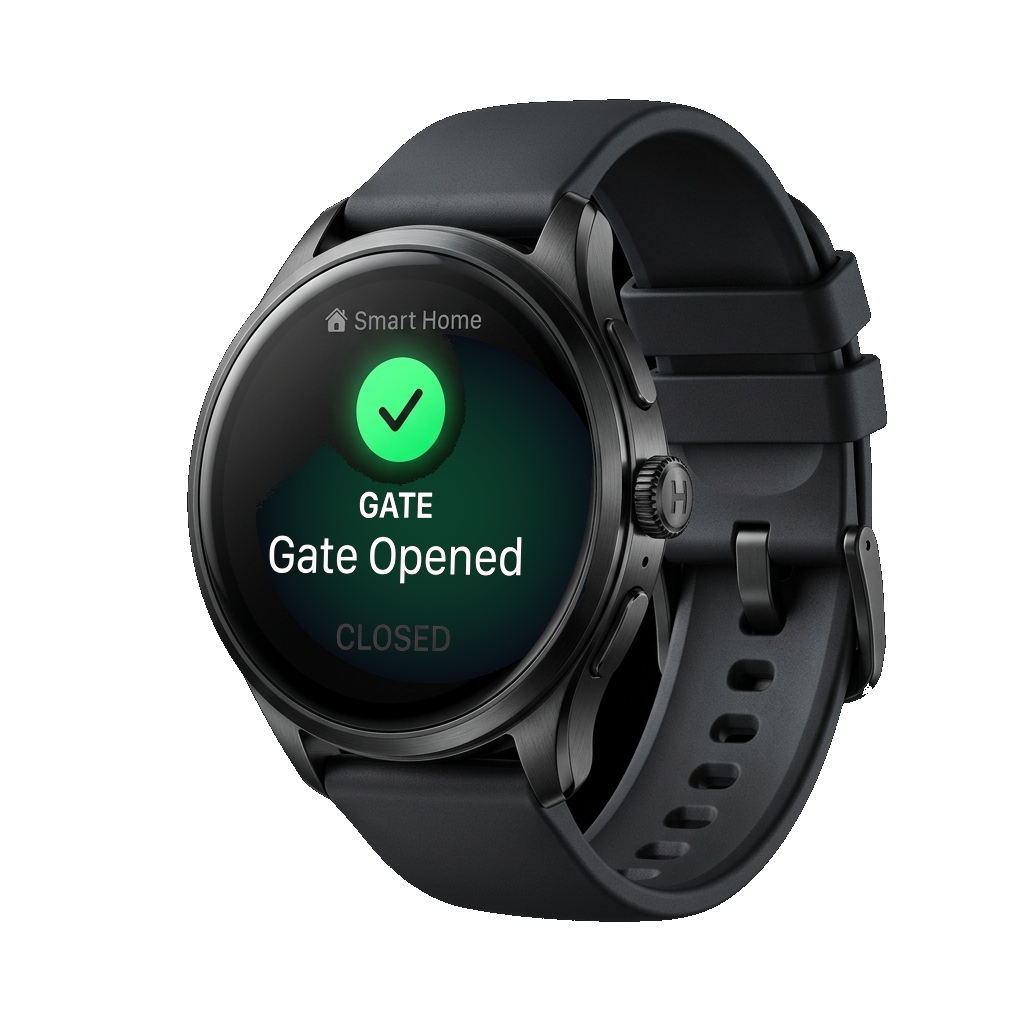
App, switch, voice assistant, watch and automations.
Features
From heating to irrigation and lighting to access control, supported functions can be managed together and coordinated.
Plan your systemAccess
Doors, gates, guest entry, intercom
Temperature
Heating, cooling, schedules, zones
Lighting
Scenes, dimming, night lighting
Shading
Blinds, awnings, weather rules
Security
Alarms, cameras, locks, alerts
Energy
Consumption data, economy modes
Irrigation
Scheduled, weather-based watering
Wellness
Sauna, hot tub, pool
Audio
Multi-room music and media
Life situations
Arrival, holiday, night, away modes

Demo
One everyday situation can trigger several actions at once. This demo shows how morning, away, movie and night settings work. In a real home, what happens depends on the installed devices and the rules you set.
Trigger
Kitchen and hallway lights come up gradually, the bedroom shade opens and the temperature moves to the daytime setting.
Trigger
Depending on the setup, doors can lock, standby loads drop, cameras and leak sensors stay on alert, and heating or cooling steps back.
Trigger
Living-room lights dim, the shades cut glare, audio switches on and the temperature stays steady – without opening five separate controls.
Trigger
Following your rules, entry points can be checked, path lights stay low, shades close and bedrooms keep a comfortable sleeping temperature.
Trigger
Move the lighting, shading or temperature slider and the demo keeps the room state in sync instead of treating each device separately.
Everyday situations
Arriving home, leaving, going to bed or heading on holiday: several home functions can respond to the same event. You decide what happens.
Following the rules you set, the gate opens, lights come on, the temperature returns to normal and your favorite scene starts.
Following the rules you set, doors, shading, standby loads, leak sensors, cameras and heating switch to away mode together.
Following the rules you set, soft path lights come on, doors stay locked, climate control switches to a quieter mode and the shades come down.
In wind, rain, heat or frost, irrigation, shading and outdoor equipment can respond according to the rules you set – depending on the sensors installed.
You do not need to change your habits. Wall switches still work, the app makes remote control easier, and routine actions can be automated.
Click switch to test feedback
"Hey Siri, set dinner scene..."
Sunset
19:30
Lights dim to 40%
Blinds Closed
Heating to 22°C
AI and internet
Switches, schedules and local automation work without AI. External AI connections are optional. Which functions work without internet depends on the installed devices and system design.
Without AI
Schedules, switches, local automations.
AI when you want it
A connection you can enable separately.
Without internet
Local functions depend on the installation.
Compatibility
Chameleon can connect to Apple HomeKit and Google Home, so residents can keep using their preferred voice assistant and app. ChatGPT and Claude can be connected as an option and only see the data you allow.
Apple HomeKit
Control Chameleon devices from the Apple Home app and Siri across iPhone, iPad, and Apple Watch.
Google Home
Use Google Home, Google Assistant, and Nest devices to control and automate your Chameleon system.
ChatGPT
Ask ChatGPT what happened at home: it gives you an overview of household events and energy use, based on the data you have allowed.
Claude
Ask Claude to explain your energy consumption and system notifications in plain language. It only uses the information you make available.
Zigbee is supported for a selected range of tested devices; KNX, Z-Wave and other protocols are available as integrations. Exact compatibility depends on the device and its version – ask for the detailed list. Devices not yet listed can be added on request as a custom integration.
Consultation
Whether you are building or renovating, we can help choose the right features and plan the infrastructure they need.
Planning an apartment building? UpHome, built on Chameleon technology, covers the whole building.
The UpHome platform